The more of your work lives in Hiro, the more it matters who can change what. This release gives agency owners more control, and makes it easier to bring the rest of your data in.
Archive candidates 🗂️
Deleting a candidate is final. Most of the time, that's not what you want: they found a job, they moved abroad, they are not available for a year. You can now archive candidates. They disappear from your daily lists but their history stays, and you can bring them back any time.
Archiving a client now also marks its contacts as do-not-contact, so nobody keeps emailing a company you stopped working with. Unarchive the client and its contacts become reachable again.
You decide who can archive and delete
Agencies don't all work the same way. In some, every recruiter manages their own records. In others, only the owner should be able to remove anything. Admins can now open archiving and deleting of clients and candidates to the rest of the team, each with its own switch. Same thing for notes: you choose whether everyone can delete a colleague's notes or only their own.
Your assistant can do more 🤖
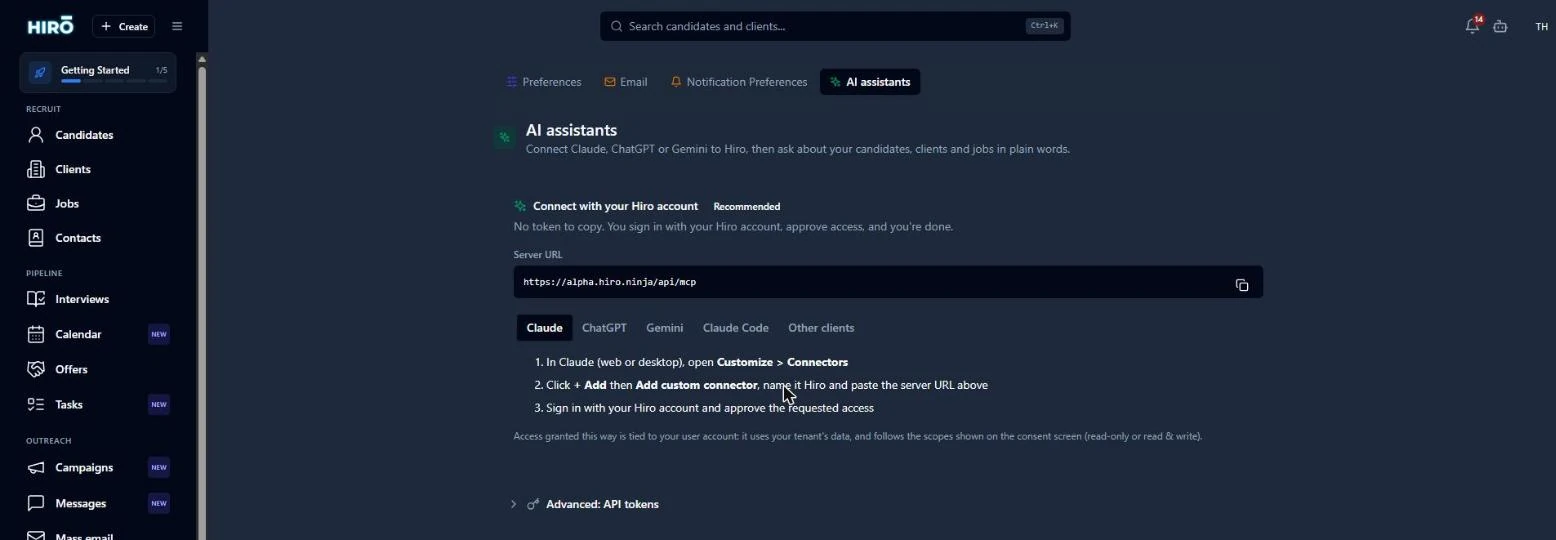
If you work with Claude or ChatGPT connected to Hiro, it can now handle your tasks, shortlists, client portal, candidate notes and calendar. "Create a follow-up task for every candidate I interviewed this week" is now a sentence, not an afternoon.
Import your contacts
You could already import candidates and clients. Now contacts get their own Import button. Hiro links each contact to the right company automatically, first by VAT number, then by company name, so you don't end up with a pile of orphan contacts to sort by hand.
Drop any file from anywhere
clients_export.csv
1,248 rows detected
Hiro AI matched your columns automatically
That's six months of releases in eight posts. Thank you to every agency that told us what was missing, what was annoying and what they loved. Most of what you just read started as one of your emails. Keep them coming. 🙏